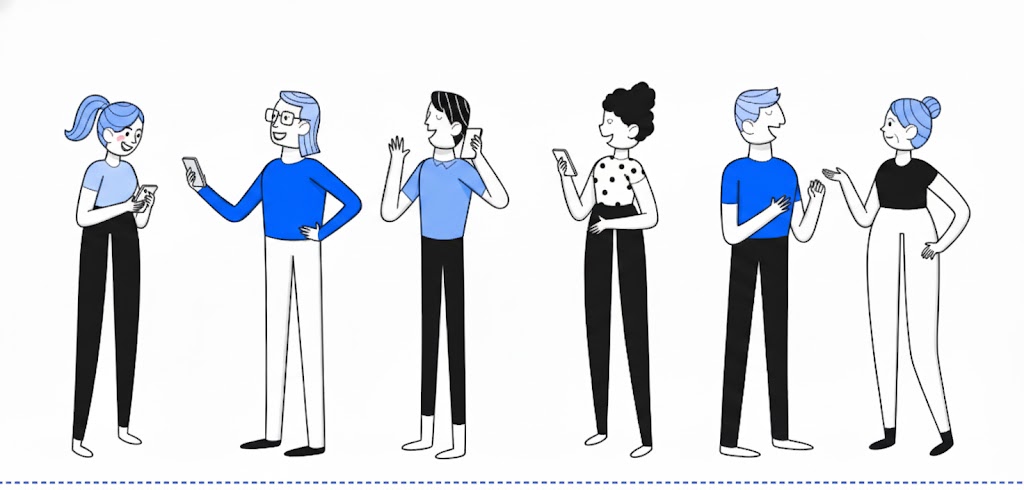

Comprehensive Smartphone Training
Learn all the tips and tricks to navigate your smartphone with ease

Online Safety Practices
Stay protected while using the internet and learn precautions you can take to avoid scams, data breaches, and other common pitfalls.

All Skill Levels Can Benefit
While this course is aimed at adults who want additional training in smartphone use, the advanced features, accessibility tips, and lessons on staying safe can benefit everyone.
About the Course
Learn everything about using your smartphone, from tips for absolute beginners to accessibility features that can help even expert users. Stay safe from online thieves and scammers with the techniques and precautions we provide. We'll take you through over two hours of instructional videos, combined with easy-to-follow slide decks where you can reinforce your learning with or without rewatching the lessons. Learn as much as you want, when you want. We believe it is the most comprehensive class available. Your signup purchases a lifetime membership which gives you access to any new or enhanced material. Enroll now and begin your journey to digital mastery!

What you'll learn
Set up Your Phone
Face ID and important settings, Control Center and Emergency SOS. Make your phone easier to view with increased contrast and larger text size. Set up shortcuts and other enhancements. Even use your phone as a magnifying glass so you can actually read pill bottles!
How to Navigate and Communicate
The language of smartphones, swiping, special and important icons. Learn the BEST ways to search the web and YouTube! Share pictures and videos, browsers vs apps, text, vs email. And much, much more!
Stay Safe Online
Precautions you should take. How to stay safe from scams and data breaches; manage passwords to keep you safer.

Your Instructor, Mark Richman
I’m a teacher and designer with a Master’s Degree in Human-Computer Interaction from Georgia Tech, where I learned how to make software products easy to use. In addition to designing products for Delta Air Lines, AT&T, NCR, and others, I've taught User Experience and other topics in technology for over 15 years. To help older adults and others thrive in today's world, I teach them how to get the most out of their smartphones and how to stay safe online.
Mastering your Smartphone and Online Safety
-
1
Introduction to the Course
-
(Included in full purchase)
Introduction
-
(Included in full purchase)
-
2
For Beginners: Passcodes, Face ID and Adding Apps
-
(Included in full purchase)
Set up your Passcode, Get apps from the App Store
-
(Included in full purchase)
Set up Face ID
-
(Included in full purchase)
-
3
Navigating Your Phone: the Basics
-
(Included in full purchase)
Watch: Getting Around Your Phone
-
(Included in full purchase)
Read it: Getting Around Your Phone
-
(Included in full purchase)
Watch: Two Special Icons
-
(Included in full purchase)
Read it: Special Icons
-
(Included in full purchase)
Watch: Swipe for Success
-
(Included in full purchase)
Read it: Swipe for Success
-
(Included in full purchase)
-
4
Setting Up Your Phone
-
(Included in full purchase)
Important Settings
-
(Included in full purchase)
The Control Center
-
(Included in full purchase)
In Case of Emergency
-
(Included in full purchase)
-
5
Making Your Phone Easier to Use
-
(Included in full purchase)
Accessibility Tips - Part 1
-
(Included in full purchase)
Accessibility Tips - Part 2
-
(Included in full purchase)
-
6
Staying Safe Online
-
(Included in full purchase)
Introduction to Staying Safe
-
(Included in full purchase)
The Basics of Scams
-
(Included in full purchase)
Two Common Scams
-
(Included in full purchase)
Scamming and Phishing Quiz
-
(Included in full purchase)
Viruses Today
-
(Included in full purchase)
How Vendors Keep You Safe - Two Factor Authentication
-
(Included in full purchase)
Precautions You Should Take
-
(Included in full purchase)
Apple's Free Password Manager
-
(Included in full purchase)
Staying Safe Online - Summary
-
(Included in full purchase)
What People Are Saying
Discover how our course is making a difference in the lives of seniors
Mark has worked with the senior population of Canterbury Court for several months, offering a variety of classes for varying degrees of technology understanding, from how to perform simple tasks on a cell phone to logging into My Chart used by most physicians and hospitals, to steps on how to order groceries online at Kroger and Publix. His classes have been well received and we enjoy his leadership and training as it truly helps our residents. I would recommend Mark to other communities.
Resident Services Director Canterbury Court, Atlanta ,Ga
Mark has taught seniors at Parc at Piedmont several times and received great acclaim from many attendees. He’s taught them how to stay safe online, how to get the most out of their smartphones, the MyChart app used by hospitals, and led a very informative Ask Me Anything question to answer individuals' questions. We’ve been very happy with him and recommend highly him to other communities and individuals.
Wellness and Engagement Director Parc at Piedmont, Marietta, Ga
Ready to Master Your Smartphone?
Take the next step towards enhancing your digital skills and online safety. Join our course today!